 MilesClocked
Mileage tracker for iPhone
Drive it.
Log it.
Turn client visits and supply runs into a mileage log. Record the route, add the reason, and keep the details on your iPhone.
How it works
From the road
to your records.
One drive can tell you where you went. A few details about why you went make it useful when you sit down to do the books.
Record the drive.
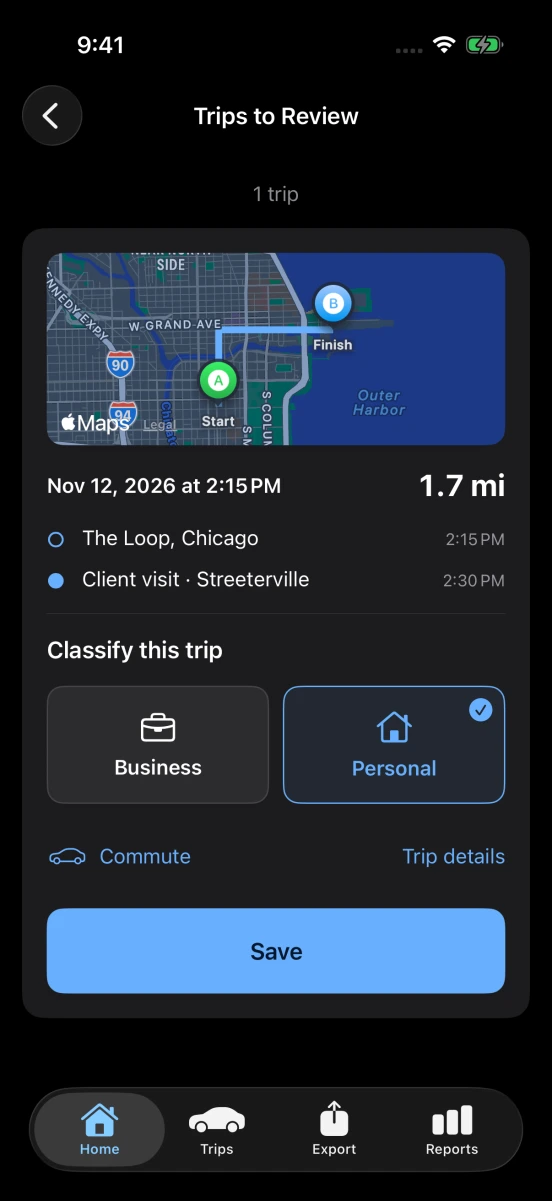
Start a recording while parked, turn on automatic detection, or add a past drive by hand. A recorded trip keeps the GPS points your phone captured.
Give it a purpose.
Choose business, personal, or commute. Add the client or errand. MilesClocked can suggest a classification for a familiar route, and you can correct it.
Take your log with you.
Choose a reporting period. Share a PDF with your preparer, open a CSV in a spreadsheet, or print an individual recorded route map.
What makes a mile a work mile?
A stop for supplies and a drive home can cover the same distance. Your log keeps the purpose, category, and mileage together so you can tell them apart.
View the sample PDFSupply pickup
- From
- The Loop, Chicago
- To
- River North
- Purpose
- Client project supplies
- Business mileage
- 1.72 mi
Driver resources